


SMC Insurance
Welcome to SMC.
How may I assist you?
by Deepika Sivadas on Friday, 20 March 2026


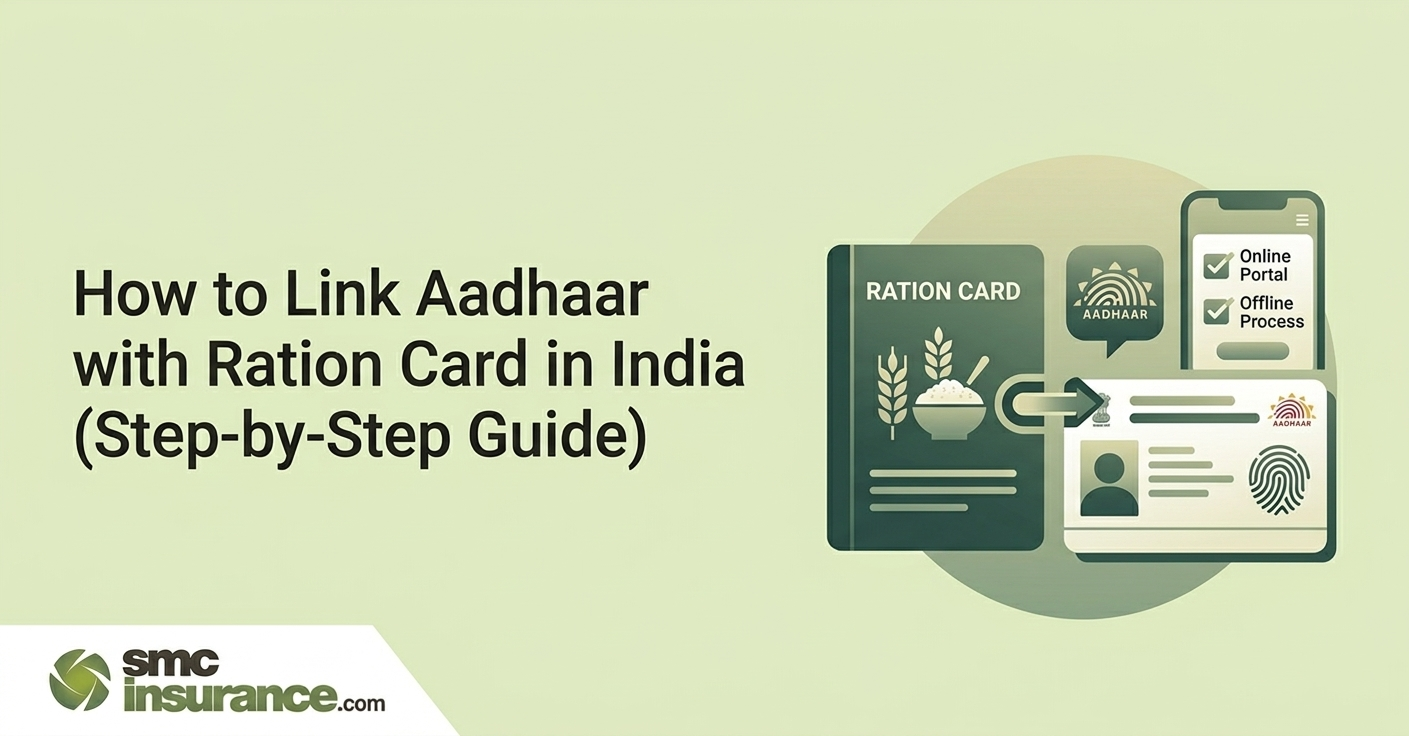
Linking Aadhaar with your ration card is mandatory for receiving subsidised food under India’s Public Distribution System. You can complete the process online within minutes if your mobile number is linked to Aadhaar, or offline via a Fair Price Shop, ration office, or Common Service Centre.
How to link Aadhaar with ration card:
Processing time: 3–7 working days.
Key requirement: Aadhaar of all family members should be linked to avoid loss of individual ration entitlements.
If your Aadhaar is not yet linked to your ration card, your subsidised food grain access under the Public Distribution System (PDS) is at risk. Aadhaar seeding with ration cards is part of the government’s digitisation and beneficiary verification reforms in the Public Distribution System (PDS). Aadhaar authentication is used to help identify beneficiaries and prevent duplication in welfare distribution.
The good news: the process is straightforward and can be done online in under 10 minutes if your mobile number is registered with Aadhaar. If not, offline options are available at your nearest Fair Price Shop (FPS), Common Service Centre (CSC), or ration office.
This guide covers all four methods — step by step — along with state-wise portal links, a document checklist, how to check if your linking is complete, and solutions to the most common errors people face.
e-KYC Deadline Status (2025–26): The central government set March 31, 2025 as the national e-KYC deadline. However, multiple states have extended this — and some have issued fresh directives through 2026. Regardless of your state's current deadline, completing the linking now ensures uninterrupted ration access. Do not wait for a state-level reminder.
In July 2025, the government introduced amendments to the Targeted Public Distribution System (TPDS) Control Order that require ration card beneficiaries to undergo periodic e-KYC verification to keep beneficiary records updated and prevent misuse of food subsidy schemes.
The government's Aadhaar Enabled Public Distribution System (AePDS) requires biometric or OTP authentication at the Fair Price Shop each time you collect rations. Many Fair Price Shops now use electronic Point-of-Sale (ePoS) devices that authenticate beneficiaries using Aadhaar-based biometrics or OTP. Aadhaar seeding helps enable faster authentication at these devices.
Beyond access, there are practical benefits to completing this:
Important: Aadhaar seeding means linking every family member's Aadhaar to the ration card — not just the head of the family. If even one member is unlinked, their share of the ration entitlement may be withheld at the FPS terminal.
What you need varies slightly depending on which method you use. Here is a quick comparison:
|
Document |
Online Method |
Offline / CSC Method |
|
Ration card (original or number) |
Number only — no physical copy needed |
Photocopy required |
|
Aadhaar card (all members) |
12-digit number only |
A photocopy of all members |
|
Registered mobile number |
Must be linked to Aadhaar for OTP |
Not mandatory |
|
Passport photo of the family head |
Not required |
1–2 copies required |
|
Bank passbook copy |
Not required |
Only if Aadhaar not linked to bank |
➔ Method 1: Online via Your State's PDS Portal
This is the fastest method — takes 5–10 minutes from home. Prerequisite: your mobile number must be registered with your Aadhaar to receive the OTP.
STEP 1: VISIT YOUR STATE'S OFFICIAL PDS PORTAL
Each state has its own portal — there is no single central portal for ration card Aadhaar linking.
Find your state's URL in the State-Wise Portal Directory below.
Look for options labelled: 'Aadhaar Seeding', 'Link Aadhaar', 'e-KYC', or 'Aadhaar-Ration Card Link'.
STEP 2: ENTER YOUR RATION CARD DETAILS
Select your ration card type (APL / BPL / Antyodaya / NPHH — as printed on your card).
Enter your ration card number exactly as printed.
Enter the name of the head of the family as listed on the card.
STEP 3: ENTER AADHAAR DETAILS FOR EACH MEMBER
Enter the 12-digit Aadhaar number for each family member you wish to link.
Enter the registered mobile number associated with that Aadhaar.
Double-check: name spelling on Aadhaar must match the ration card exactly.
STEP 4: COMPLETE OTP VERIFICATION
Click 'Send OTP' or 'Continue'.
An OTP will be sent to the Aadhaar-registered mobile number.
Enter the OTP within the validity window (usually 10 minutes).
Submit the form.
STEP 5: SAVE YOUR ACKNOWLEDGEMENT
After successful submission, you will receive a reference number or acknowledgement slip.
Save or screenshot this — it serves as proof of submission.
An SMS confirmation will be sent to your registered mobile number within 24–48 hours.
Full update in the state PDS system typically takes 3–7 working days.
➔ Method 2: Offline via Fair Price Shop or Ration Office
The preferred route if your mobile number is not registered with Aadhaar, or if you are helping an elderly family member who is not comfortable with online processes.
STEP 1: GATHER REQUIRED DOCUMENTS
Photocopy of the ration card.
Photocopies of Aadhaar cards of all family members to be linked.
Photocopy of Aadhaar card of the head of the family.
1–2 passport-size photographs of the head of the family.
Copy of bank passbook — only if your Aadhaar is not already linked to your bank account.
STEP 2: VISIT YOUR NEAREST FAIR PRICE SHOP OR DISTRICT SUPPLY OFFICE
Carry originals of all documents for on-site verification.
Inform the official that you are there for Aadhaar seeding / e-KYC for your ration card.
STEP 3: BIOMETRIC AUTHENTICATION
The FPS operator will ask you to place your finger on the biometric scanner for authentication.
If fingerprint fails (common for elderly or manual labourers), request iris or face authentication.
Authentication is done member by member — all members listed must ideally be present or their data submitted.
STEP 4: SUBMIT DOCUMENTS AND GET ACKNOWLEDGEMENT
Submit all photocopies to the official.
Collect your acknowledgement receipt or reference number.
You will receive an SMS on your registered mobile number confirming receipt.
A second SMS will arrive once linking is complete (typically 5–7 working days).
➔ Method 3: Via Common Service Centre (CSC)
CSCs (also called Jan Seva Kendras or Lok Mitra Kendras in some states) are government-authorised digital service points available in most towns and rural areas. They offer Aadhaar seeding for ration cards as a paid service — typically ₹20–₹50 per family.
STEP 1: LOCATE YOUR NEAREST CSC
Visit locator.csccloud.in or search 'CSC near me' to find the closest authorised centre.
Alternatively, ask at your local gram panchayat, post office, or bank branch.
STEP 2: CARRY DOCUMENTS (SAME AS OFFLINE METHOD)
Ration card photocopy.
Aadhaar photocopies of all members.
Passport photos of family head.
STEP 3: CSC OPERATOR COMPLETES LINKING ON YOUR BEHALF
The operator accesses the state PDS portal or AePDS system using their credentials.
They enter your details and complete OTP or biometric verification.
You receive an acknowledgement slip on completion.
CSCs are especially useful in rural areas where state PDS portals may be slow or inaccessible on personal devices, and where older family members need assistance navigating digital processes.
➔ Method 4: Via the Mera Ration App
The Mera Ration app (Ministry of Consumer Affairs, Food and Public Distribution) is the official government app for PDS-related services. It is available on Android (Google Play Store) and is primarily used to check Aadhaar seeding status — not to initiate fresh linking for most states. However, some states have integrated fresh linking functionality into the app.
STEP 1: DOWNLOAD AND OPEN THE APP
Search 'Mera Ration' on Google Play Store.
Install the official app by the Ministry of Consumer Affairs, Food & Public Distribution.
Open the app and select your preferred language.
STEP 2: NAVIGATE TO AADHAAR SEEDING
On the home menu, tap 'Aadhaar Seeding'.
Select 'Ration Card No.' from the options.
Enter your ration card number and tap Submit.
STEP 3: VIEW STATUS OR INITIATE LINKING
The app will display all members listed on the ration card along with their current Aadhaar seeding status.
If a member shows 'Not Seeded' — note their details and proceed via online or offline method for your state.
In states where app-based linking is enabled, you will see an option to initiate linking directly from this screen.
Since there is no single central portal for Aadhaar-ration card linking, use your state's specific portal. The table below lists official portals for all major states:
|
State |
Official PDS Portal |
Available Methods |
|
Uttar Pradesh |
fcs.up.gov.in |
Online + Offline + CSC |
|
Maharashtra |
rcms.mahafood.gov.in |
Online + Offline + CSC |
|
West Bengal |
wbpds.wb.gov.in |
Online (OTP-based) + Offline |
|
Delhi |
nfs.delhi.gov.in |
Online + Offline + CSC |
|
Bihar |
sfc.bihar.gov.in |
Offline + CSC (primary) |
|
Tamil Nadu |
www.tnpds.gov.in |
Online + Offline |
|
Karnataka |
ahara.kar.nic.in |
Online + Offline + CSC |
|
Rajasthan |
food.raj.nic.in |
Online + Offline + CSC |
|
Madhya Pradesh |
rationmitra.nic.in |
Online + Offline |
|
Andhra Pradesh |
epds.ap.gov.in |
Online + Offline + CSC |
|
Telangana |
epds.telangana.gov.in |
Online + Offline |
|
Kerala |
ecitizen.kerala.gov.in |
Online + Offline + CSC |
|
Gujarat |
dcs-dof.gujarat.gov.in |
Online + Offline + CSC |
|
Haryana |
haryanafood.gov.in |
Online + Offline |
|
Punjab |
epos.punjab.gov.in |
Offline + CSC (primary) |
For states not listed above, search '[State name] PDS portal Aadhaar seeding' or visit your state's Food and Civil Supplies Department website directly. Avoid third-party websites that mimic government portals.
Do not assume linking is complete just because you submitted the form. Always verify using one of these three methods:
➔ Method A: NFSA National Portal
➔ Method B: Mera Ration App
➔ Method C: State PDS Portal
Allow 5–7 working days after submission before checking status. Backend systems at state PDS offices process in batches — a successful submission does not mean instant update on the portal.
These are the most frequently reported issues during Aadhaar-ration card linking — and how to resolve each one:
|
Problem |
Likely Cause |
Solution |
|
OTP not received |
Mobile number not registered with UIDAI |
Visit nearest Aadhaar centre to link/update mobile number, then retry online |
|
Name mismatch error |
Name spelling differs between Aadhaar and ration card |
Correct the name on either document first — visit UIDAI centre or state PDS office |
|
Biometric authentication fails |
Fingerprint not matching (common in elderly or manual labourers) |
Request iris scan or face authentication instead — available at most CSCs and FPS shops |
|
Portal not loading / error page |
State portal downtime or browser incompatibility |
Try Chrome or Firefox; attempt during off-peak hours (early morning); or switch to offline/CSC method |
|
Aadhaar already seeded to another card |
Duplicate ration card issue in the family |
Visit your District Supply Office with documents; request de-seeding and fresh linking |
|
Submission accepted but not updated |
Processing delay at state PDS backend |
Wait 5–7 working days; check status on Mera Ration app or state portal; if unresolved, visit FPS shop |
Special Cases
If your ration card appears missing from the system after a state-level de-duplication drive, visit your District Supply Officer (DSO) with original documents. State drives have occasionally removed valid cards due to data errors — these can be restored on appeal with proper documentation.
|
Your Situation |
Best Method |
Time Required |
|
Mobile linked to Aadhaar + internet access |
Online via state PDS portal |
5–10 minutes |
|
No mobile linked / elderly family member |
Offline at Fair Price Shop or CSC |
1 visit, 30–60 minutes |
|
Rural area, no internet, need assistance |
Common Service Centre (CSC) |
1 visit + small fee |
|
Want to check status only |
Mera Ration App |
2 minutes |
Disclaimer:The information provided on this platform is intended for general awareness and educational purposes. While every effort is made to ensure accuracy, some details may change with policy updates, regulatory revisions, or insurer-specific modifications. Readers should verify current terms and conditions directly with relevant insurers or through professional consultation before making any decision.
All views and analyses presented are based on publicly available data, internal research, and other sources considered reliable at the time of writing. These do not constitute professional advice, recommendations, or guarantees of any product’s performance. Readers are encouraged to assess the information independently and seek qualified guidance suited to their individual requirements. Customers are advised to review official sales brochures, policy documents, and disclosures before proceeding with any purchase or commitment.
Visit your state's official PDS portal (each state has its own — there is no single central portal). Navigate to the 'Aadhaar Seeding' or 'Link Aadhaar' section. Enter your ration card number, Aadhaar number of each member, and your registered mobile number. Complete OTP verification and submit. You will receive an SMS confirmation within 24–48 hours.
The central government set March 31, 2025 as the national e-KYC deadline for Aadhaar-ration card linking. However, multiple states have extended this deadline individually — some through 2026. Regardless of the current deadline in your state, it is strongly recommended to complete the linking immediately to avoid any risk of ration access being suspended.
There are three ways to check: (1) Visit nfsa.gov.in, navigate to Ration Card details, and view the Aadhaar seeding status for each member. (2) Download the Mera Ration app, go to 'Aadhaar Seeding', enter your ration card number, and view the status of all members. (3) Visit your state's PDS portal and look for the 'Aadhaar Seeding Status' or 'RC Details' section.
Yes. The online method requires a mobile number registered with Aadhaar (for OTP). If you do not have one, you can complete linking offline by visiting your nearest Fair Price Shop (FPS), ration office, or Common Service Centre (CSC) with your documents. Biometric authentication (fingerprint or iris) is used instead of OTP at these centres.
If Aadhaar seeding is not completed, you risk losing access to subsidised food grains at the Fair Price Shop, since FPS terminals require biometric or OTP authentication linked to Aadhaar. In states where e-KYC drives have concluded, unlinked cards may be removed from the PDS database. Additionally, you will not be able to use the One Nation One Ration Card (ONORC) facility to collect rations from other states.
Yes. Aadhaar seeding is required for every adult member listed on the ration card. Children below 5 may be temporarily exempt but must be linked once they receive their Aadhaar (Baal Aadhaar). If even one adult member is unlinked, their share of the ration entitlement may be withheld at the FPS terminal.
Mera Ration is the official app from the Ministry of Consumer Affairs, Food and Public Distribution. It lets ration card holders check their Aadhaar seeding status, view monthly entitlements, check nearby Fair Price Shops, and track PDS transaction history. In some states, it also allows fresh Aadhaar linking directly. It is available free on the Google Play Store.
.png)
SMC Insurance Brokers Pvt. Ltd.
SMC Metro Mall, Near Pratap Nagar Metro Station, Pratap Nagar, New Delhi-110007
Registration No: 289, Registration Code No: IRDAI/DB-272/04/289, Valid till: 27/01/2029, License category: Composite Broker, CIN: U66000DL1995PTC172311
Insurance is the subject matter of solicitation.
Visitors are hereby informed that their information submitted on the website may be shared with insurers.
Product information is authentic and solely based on the information received from the Insurer.
